Visitor Management Integration with Access Control Systems
"Integrating visitor management with access control automates guest entry by syncing digital check-ins with physical security hardware. This process replaces manual logbooks with temporary digital credentials, ensuring only authorized visitors can enter specific office zones while creating an audit-ready data trail for compliance. "

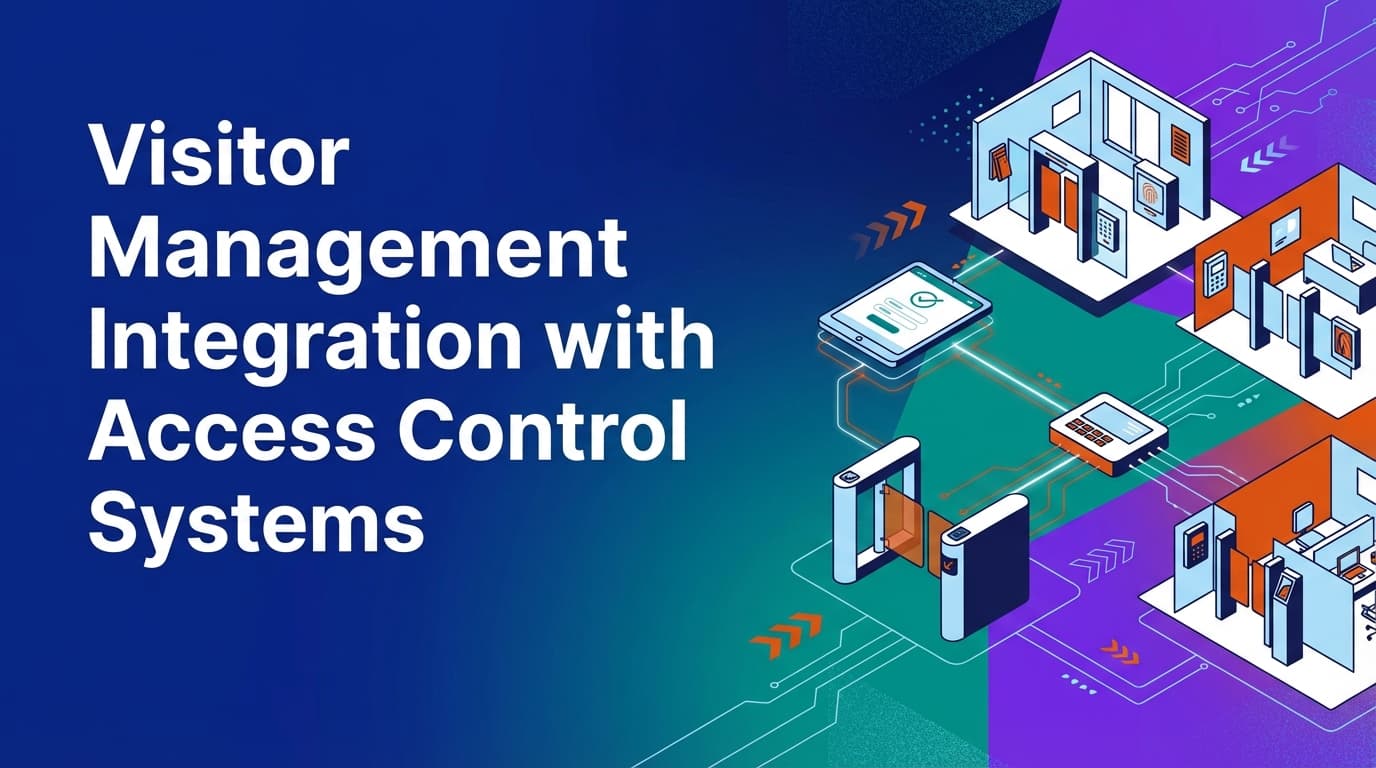
Visitor management integration with access control systems connects your front-desk guest registry to your building’s physical security hardware. In most offices, these two systems operate in silos: the visitor signs in on a tablet, but a receptionist still has to manually buzz them in or hand over a physical plastic badge. By linking these systems through a unified data model, the act of checking in automatically triggers the creation of a temporary digital credential. This ensures that guest access is governed by the same enterprise policies as employee access, providing a single source of operational truth for everyone in the building.
What is visitor management integration with access control?
Visitor management integration is the technical connection between a guest registration platform and a physical security system (like HID, S2, or Openpath). When these systems are integrated, a visitor who completes their check-in—including signing NDAs or passing health screenings—is instantly granted a temporary permission set in the access control system.
This permission set usually takes the form of a mobile credential, a QR code, or a printed badge with an embedded chip. The integration ensures that the visitor can only use specific elevators or open specific doors during their scheduled visit time. Once the visitor checks out or their scheduled time expires, the access control system revokes the credential automatically.
Why do traditional visitor management systems fail?
Most visitor apps are digital guestbooks. They collect names and notify hosts, but they don't actually manage the movement of people. This creates several operational gaps that facilities teams have to fill manually.
First, there is the issue of "calendar assumptions." Many systems assume that because a meeting is on the calendar, the visitor is in the building. They don't enforce a physical check-in. Without a hard link to access control, there is no way to verify if a guest actually arrived or if they stayed three hours past their meeting's end.
Second, point solutions for visitors often live on a separate database from the desk and room booking systems. If a guest is invited to a specific meeting room in a high-security zone, a standalone visitor app has no way of knowing that the room requires special clearance. Because WOX uses a unified data model, the policy engine applies the same rules to a visitor as it does to a resource. If a room is flagged as "internal only," the system can block a guest invite from being issued in the first place.
Finally, manual badge management is a security risk. When receptionists hand out "Visitor 04" badges, they lose the ability to audit who had that badge at 2:00 PM last Tuesday. Integrated systems tie a specific, unique credential to a specific identity for a specific duration.
How does the integration work technically?
The integration functions through a series of API calls or webhooks between the workplace management platform and the access control server. Here is the typical lifecycle of a visitor credential:
- The Invite: A host invites a guest through the workplace platform. The system checks the guest’s identity against any internal watchlists or SCIM-linked blocklists.
- Pre-registration: The guest receives an email to sign legal documents or upload identification. Because the platform handles the entire lifecycle, these documents are attached to the visitor’s profile before they arrive.
- The Handshake: Upon arrival, the guest checks in. The workplace platform sends a request to the access control system to "provision" a credential.
- Credential Issuance: The access control system generates a temporary token. This token is sent to the guest’s phone as a QR code or pushed to a badge printer.
- Activity Tracking: Every time the guest scans their QR code at a turnstile or door, the data is fed back into the central system. This provides real utilization data, not just a record of arrival.
- De-provisioning: When the guest checks out, or the meeting window closes, the platform sends a final command to the access control system to kill the credential.
How do you handle different types of visitors?
Not all visitors require the same level of access. A delivery driver needs to get to the mailroom, while a board member might need access to executive suites and the dining hall.
A unified operational system allows you to model these visitors as different "resource types" with specific rules. You can set up multi-modal logic where:
- Contractors get access to service corridors and freight elevators for an 8-hour window.
- Interview Candidates get access only to the lobby and the specific floor where the HR department is located.
- Clients get a "white glove" experience where their QR code also unlocks a pre-booked "guest desk" in a specific zone.
Because the spatial modeling is self-service, ops teams can change these access zones as the office layout evolves. You don't need a CAD file or a security vendor to redefine which doors a "Contractor" credential can open. You simply update the zone mapping in the policy engine.
What are the security benefits of integrated access?
Security is the primary driver for integration. When the front desk and the door locks talk to each other, you eliminate the "tailgating" and "unaccounted guest" problems.
Real-time audit trails
In a siloed system, if an incident occurs, you have to export a CSV from the visitor app and manually correlate it with the timestamped logs from the access control system. In an integrated environment, the data is already merged. You can see that "Guest John Doe" checked in at 9:02 AM and scanned into "Lab B" at 9:15 AM. This is audit-grade data that holds up during compliance reviews.
Automated policy enforcement
Policies in WOX are executable rules, not just guidelines. If your company policy dictates that visitors must be escorted in certain zones, the system won't issue a credential that works on those doors. The visitor must be "checked in" by a host who has the proper clearance. This removes the burden of policy memorization from the security staff.
Emergency mustering
During a fire drill or an actual emergency, you need to know exactly who is in the building. A digital guestbook tells you who signed in. An integrated system tells you who is actually inside because it tracks the last door they scanned. This "operational truth" is vital for first responders.
Where traditional booking tools fall short in visitor management
Many companies try to use their room booking tool or their calendar (like Outlook or Google) to manage visitors. This approach fails because calendars are not built for security.
- No check-in enforcement: A calendar invite doesn't prove someone is there. Without a check-in requirement, your utilization data is based on guesses.
- Disconnected hardware: Outlook cannot talk to a door controller. This means a human must always sit at the desk to bridge the gap between the digital invite and the physical door.
- Lack of role-based controls: Calendar tools are generally "all or nothing." They don't allow for complex governance where different locations have different security protocols.
- Static modeling: Most tools are hardcoded to desks and rooms. They can't model a "visitor" as a resource that consumes capacity and has its own set of availability rules.
How to implement visitor access control integration
Implementing this integration requires coordination between IT, Security, and Facilities.
1. Audit your hardware
Confirm that your current access control system has an open API or a pre-built connector for your workplace platform. If you use legacy "on-prem" controllers that aren't networked, you may need a cloud gateway to bridge the connection.
2. Define your access zones
Map your office into zones based on security levels.
- Public: Lobby, cafe, reception.
- General: Open office areas, standard meeting rooms.
- Secure: Server rooms, executive offices, R&D labs.
3. Establish visitor types and rules
Determine which visitor types get which permissions. Use your policy engine to set these as global rules so they apply across all locations automatically. For example, you can mandate that all "Vendor" visitors must upload a certificate of insurance (COI) before their QR code is activated.
4. Choose your credential format
Decide if you will use mobile-first credentials (QR codes sent to phones) or physical badges. Mobile credentials reduce the cost of consumables and are harder to lose or share than plastic cards.
Managing data privacy and compliance
Integrating these systems means you are handling Personally Identifiable Information (PII) alongside security logs. This requires strict governance.
Because WOX is built with enterprise governance in mind, it handles SCIM and role-based access controls at the core. You can set data retention policies that automatically scrub visitor names and emails after 30 days while keeping the anonymized "scan data" for utilization reports. This keeps you compliant with GDPR and CCPA without losing the ability to track how many people are using the office.
A comparison of visitor management approaches
| Feature | Manual Logbook | Standalone App | Integrated System |
|---|---|---|---|
| Data Accuracy | Low (unreadable handwriting) | Medium (relies on host) | High (verified by door scans) |
| Security | None | Low (notifications only) | High (physical enforcement) |
| Host Effort | High (must meet guest) | Medium (gets an app alert) | Low (automated entry) |
| Audit Readiness | Poor | Average | Excellent (unified logs) |
| Credential Type | None | Paper Badge | Digital/Mobile Token |
The role of operational truth in visitor management
Workplace operations shouldn't rely on assumptions. When you integrate visitor management with access control, you move from "we think 20 people visited today" to "we know 20 people scanned into the building."
This distinction is important for real estate planning. If your data shows that visitors spend 90% of their time in the lobby and only 10% in the actual meeting rooms, you might decide to expand your lounge area and reduce your conference room footprint. This level of insight is only possible when your visitor data is part of the same model as your resource and spatial data.
Next steps for your facility
To start the integration process, begin by mapping the journey of a guest from the moment they are invited to the moment they leave. Identify every point where a human has to intervene—whether it's checking an ID, printing a badge, or opening a door. Each of these manual touchpoints is a candidate for automation through integration.
Once you have mapped the journey, review your access control vendor's documentation for API capabilities. A unified system that handles the entire lifecycle of workplace activities will provide the most reliable results and the cleanest data for your operations team.
Learn more about Visitor Management Guide
For comprehensive guidance, see our guide on visitor management and front desk solutions.
Want to learn more about Visitor Management?
Explore our complete guide with more articles like this one.