The Role of Technology in Creating an Inclusive Workplace
"Inclusive workplaces require more than just a welcoming culture; they need operational systems that guarantee equitable access to resources. This guide explains how to use workplace technology like check-in enforcement, spatial modeling, and automated policy engines to remove barriers for neurodivergent, disabled, and hybrid employees. "

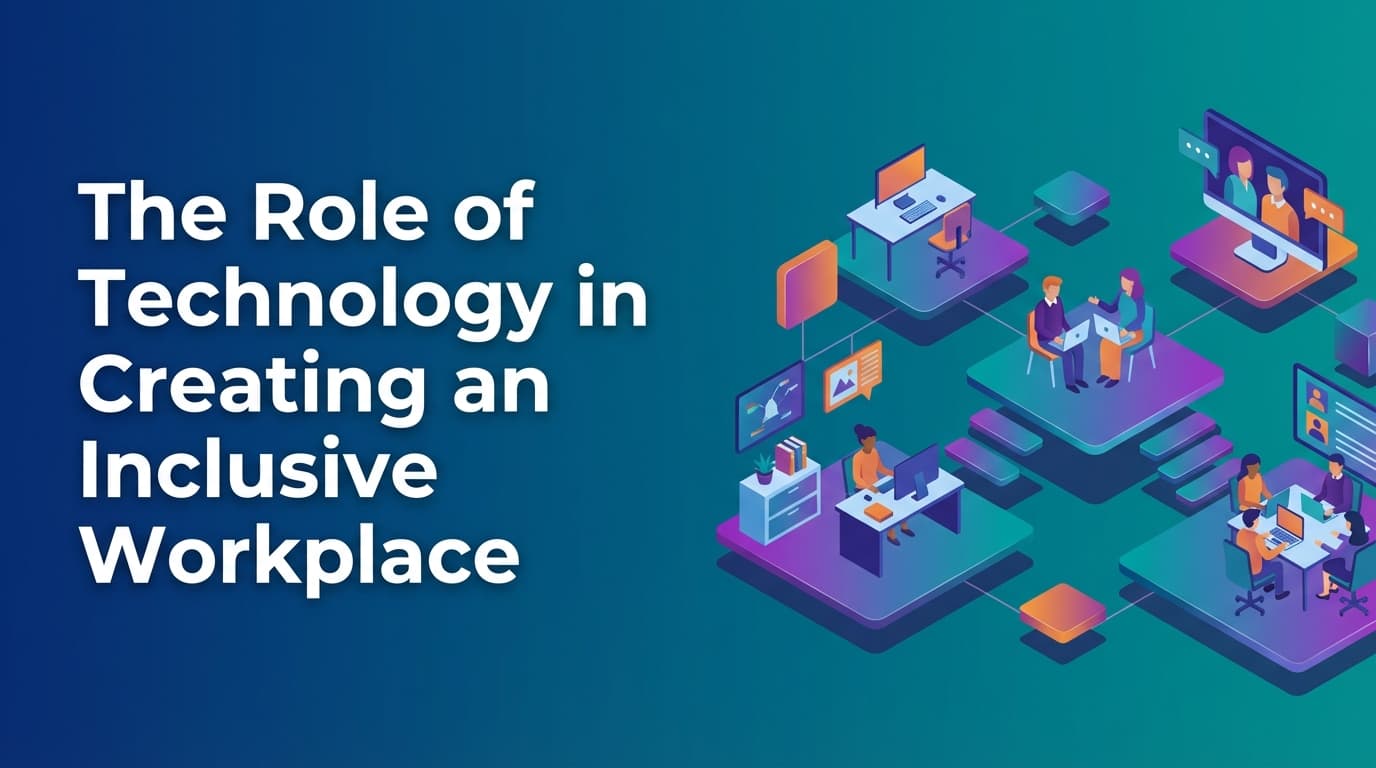
Inclusion in the modern workplace is often treated as a cultural initiative, but it is fundamentally an operational challenge. When an office relies on "first-come, first-served" desk booking or unmanaged meeting rooms, it inadvertently favors those with the most social capital or the fewest physical constraints. True inclusion happens when workplace technology enforces equitable access through a unified operational system. By using a single data model for all resources, organizations can ensure that accessibility requirements and specialized equipment are prioritized for the people who need them, rather than being left to chance or manual intervention.
Why does traditional office management fail at inclusion?
Traditional office management fails at inclusion because it relies on assumptions rather than enforced rules. Most booking tools are "optimistic." They assume that if a person reserves a desk on a calendar, they will show up, and the desk will meet their needs.
This approach creates several points of failure:
- The "Squatter" Problem: Employees who don't book a space but occupy it anyway prevent others from accessing the resources they need. For an employee with mobility issues or neurodivergence, arriving at the office to find their reserved, specialized desk occupied is not just a nuisance; it is a barrier to working.
- Hidden Inventory: In many offices, ergonomic chairs, height-adjustable desks, or quiet zones aren't tracked in the system. They are "known" only to long-term employees, creating an information asymmetry that excludes new hires or hybrid workers.
- Manual Gatekeeping: When an employee needs a specific accommodation, they often have to ask a manager or facilities lead. This forces the employee to disclose personal needs repeatedly and creates a bottleneck.
Because these systems lack a unified policy engine, they cannot enforce the rules that make a space inclusive. Inclusion becomes a manual task for the operations team rather than a built-in feature of the workplace.
How can technology improve accessibility in the workplace?
Technology improves accessibility by turning physical requirements into executable rules. In a legacy system, an "accessible" desk is just a label. In a workplace operations platform, that desk is a specific resource type governed by multi-modal booking logic.
Because WOX uses a resource-agnostic model, anything in the office—from a standard desk to a specialized braille printer or a lactation room—is managed under the same logic. This allows operations teams to set priority rules. For example, a height-adjustable desk can be reserved exclusively for employees with a documented medical need during peak hours, only becoming available to the general population if it remains unbooked 24 hours before the start of the day.
Self-service spatial modeling also plays a role. When an operations team can change office layouts without waiting for a CAD vendor, they can respond to the immediate needs of their workforce. If a team grows and requires more "quiet zone" capacity to support neurodivergent employees, the ops team can re-designate a bank of desks in the system instantly. The technology then enforces the new "quiet" policy, such as disabling group bookings in that area.
Where traditional booking tools fall short
Most companies attempt to solve inclusion with simple calendar-based booking apps. These tools usually fail because they are disconnected from the actual reality of the office floor.
| Feature | Traditional Booking Apps | WOX Workplace Infrastructure |
|---|---|---|
| Data Source | Calendar assumptions (did they book?) | Operational truth (did they check in?) |
| Policy Application | Suggestions or "honor system" | Executable rules and automated enforcement |
| Resource Scope | Desks and rooms only | Resource-agnostic (any asset or space) |
| Configuration | Rigid, vendor-dependent | Self-service spatial modeling |
| Governance | Manual audits and reporting | Enterprise governance built into the core |
Traditional tools cannot distinguish between a "booked" desk and a "used" desk. This lack of audit-grade data means facilities teams don't know if their inclusive spaces are actually being utilized by the people they were designed for. If a neurodivergent employee books a "focus pod" but finds it too noisy because of a nearby team meeting, a simple booking tool won't capture that failure. A system that tracks real usage and handles conflicts at scale allows the organization to see where their inclusion strategy is failing in practice.
How do automated policies ensure equitable resource access?
Automated policies remove the need for human "gatekeepers" and ensure that rules are applied consistently to everyone. When you implement policies as executable rules, the system handles the friction of enforcement.
For example, many organizations struggle with "desk hoarding," where employees book the most desirable spots weeks in advance and then don't show up. This behavior disproportionately affects employees who have caregiving responsibilities or unpredictable schedules, as they are often left with the least accessible or least productive spaces.
A unified policy engine solves this by implementing check-in enforcement. If an employee does not check into their desk by 10:00 AM, the system automatically cancels the reservation and releases the resource back into the pool. Because the system uses reliable calendar sync, this update happens across all platforms instantly. The person who actually needs the space can now book it, and the organization gets a clear data point on "no-show" rates.
Furthermore, multi-modal booking logic allows for "neighborhood" assignments. You can create a rule that keeps a specific team together to support a collaborative project, while simultaneously reserving a percentage of those desks for "free-address" use to ensure that cross-functional employees aren't excluded from the area.
How can data help identify exclusion in the office?
You cannot fix an exclusion problem you cannot see. Most workplace data is "sentiment-based"—it comes from surveys where employees report how they feel about the office. While valuable, this data is subjective and often suffers from low response rates.
Operational data provides a more objective view. By tracking real utilization versus calendar bookings, you can identify patterns of exclusion.
Consider these scenarios:
- The "Avoided" Zone: Data might show that a certain wing of the office has a 90% booking rate but only a 20% check-in rate. This suggests the space doesn't meet employee needs—perhaps it's too cold, too loud, or lacks the right equipment.
- Resource Bottlenecks: If "focus rooms" are always at 100% utilization while open-plan desks sit at 30%, your office is likely failing your neurodivergent staff who need quiet environments to work.
- Peak-Day Crowding: If utilization spikes to 95% on Tuesdays and Thursdays, employees with physical disabilities may find the office environment stressful or navigate-able due to the density.
Because WOX provides audit-grade data, workplace leaders can make lease and layout decisions based on how the office is actually used. If the data shows that accessible resources are constantly at capacity, the operations team can use self-service modeling to convert underutilized standard desks into accessible ones without needing a major renovation.
How do you implement an inclusive workplace technology strategy?
Implementing a technology-led inclusion strategy requires moving away from the "app" mindset and toward an "infrastructure" mindset.
1. Model the office for reality
Start by identifying every resource that contributes to an inclusive environment. This isn't just desks. It includes height-adjustable stations, quiet zones, low-light areas, and proximity to elevators or restrooms. Use resource-agnostic booking to make these searchable and bookable in the system.
2. Define and automate your policies
Don't write a "hybrid work policy" in a PDF and hope people read it. Program the rules into your workplace engine. If you have a policy that employees with specific needs get 48-hour early access to certain desks, set that as a rule. The system will enforce it, and employees won't have to ask for permission every time they want to come in.
3. Enforce check-ins to protect resources
Inclusion is about availability. Use check-in enforcement to ensure that "ghost bookings" don't prevent people from using the office. When the system automatically releases unused space, it maximizes the chances that an employee who makes a last-minute trip to the office can find a space that works for them.
4. Use utilization data to iterate
Review your utilization reports monthly. Look for discrepancies between what is booked and what is actually used. If specific "inclusive" features are never used, talk to the employees they were intended for. It may be that the technology is there, but the physical implementation is flawed.
Learn more about Hybrid Work Guide
For comprehensive guidance, see our guide on hybrid work strategies and implementation.
Want to learn more about Hybrid Work?
Explore our complete guide with more articles like this one.