PIR vs. Computer Vision Occupancy Sensors: Which Is Right for Your Office?
"PIR sensors provide binary occupancy data at a low cost, while computer vision sensors offer precise person-counting and density metrics. Choosing between them depends on whether you need to manage individual desk check-ins or understand total room utilization. This guide compares both technologies to help workplace teams build a reliable system for tracking actual office usage. "

Choosing between PIR (Passive Infrared) and computer vision sensors is a decision about what kind of operational truth you need. Many organizations rely on calendar data to guess how their office is used, but calendars are often wrong. People book rooms and don't show up. They sit at desks they didn't reserve. To fix this, you need hardware that tracks actual behavior.
Because WOX uses a unified data model, sensor data becomes more than just a chart; it becomes an enforcement tool. When a sensor detects an empty room that is technically "booked," the system can trigger an auto-release policy. This guide breaks down the technical differences between PIR and computer vision to help you decide which hardware fits your workplace strategy.
What is the difference between PIR and computer vision sensors?
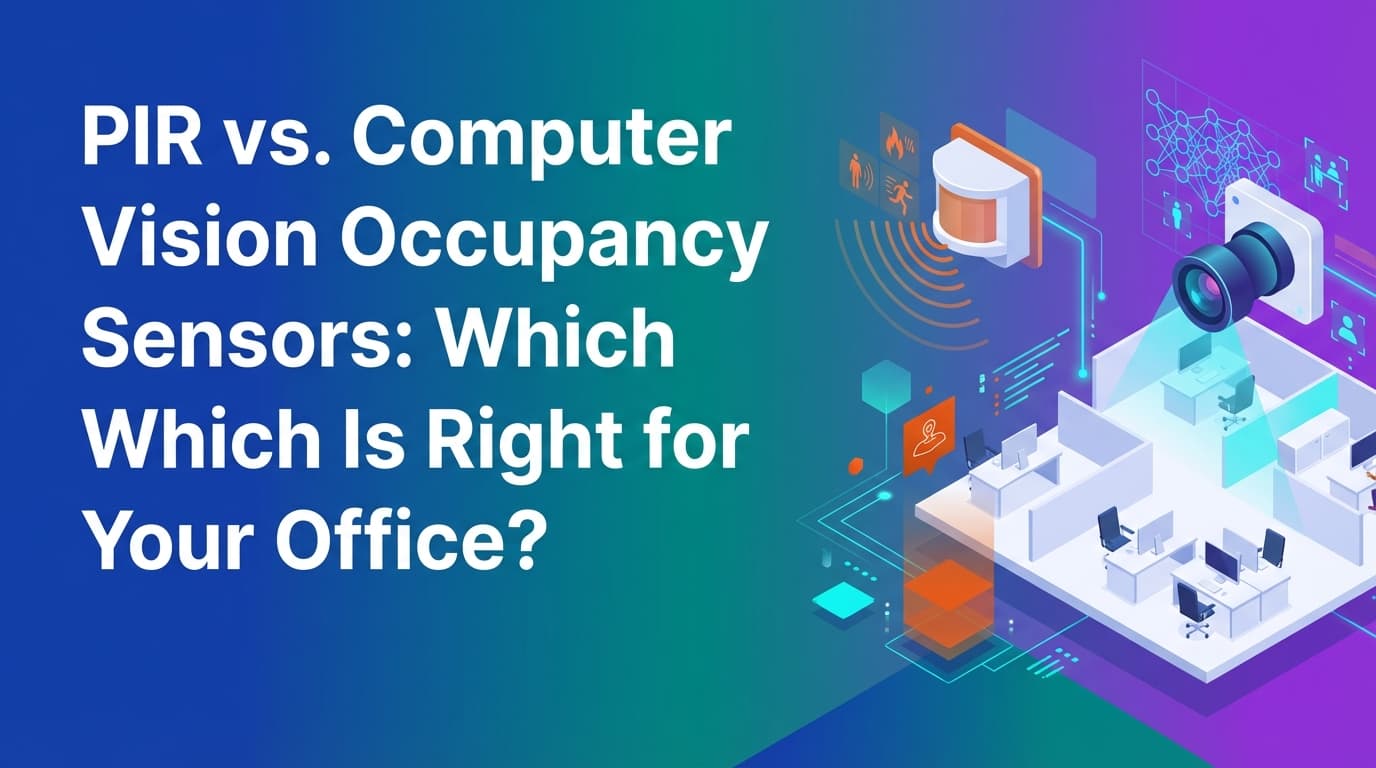
PIR sensors detect heat and motion to determine if a space is occupied. They provide a simple "yes" or "no" answer. Computer vision (CV) sensors use optical cameras and artificial intelligence to count the exact number of people in a space.
PIR is the standard for desk-level tracking. It is inexpensive, preserves privacy by design, and requires very little power. Computer vision is the standard for high-traffic areas, conference rooms, and open collaboration zones where you need to know density, not just presence.
The choice depends on the resource you are modeling. In WOX, we treat resources as agnostic. A desk, a phone booth, and a 20-person board room are all just resources with different capacity rules. PIR sensors work well for 1:1 resources like desks. Computer vision is necessary for resources with a capacity higher than one.
How do PIR sensors track office occupancy?
PIR stands for Passive Infrared. These sensors do not "see" images. Instead, they detect infrared radiation—heat—emitted by human bodies. When a person moves within the sensor's field of view, the sensor detects a change in the infrared energy and registers the space as occupied.
PIR sensors are typically small, battery-powered devices that stick to the underside of a desk or the ceiling of a small room. They are popular because they are non-intrusive. Because they don't capture images, there is zero risk of identifying an individual.
However, PIR has limitations. If a person sits perfectly still for a long time, the sensor might stop detecting heat movement and report the space as vacant. To solve this, workplace teams usually set a "timeout" period—for example, 10 minutes of no motion before the system considers the desk free. In a unified system like WOX, this data feeds directly into the policy engine. If the sensor reports a desk is vacant during a booked window, the system can automatically check the user out, making that desk available for someone else to book.
How do computer vision sensors capture utilization data?
Computer vision sensors use an image sensor to capture a view of the room. An onboard processor—often called "edge computing"—analyzes the image in real-time to identify human shapes.
Unlike PIR, these sensors can tell the difference between one person and five people. They can also track "dwell time" (how long someone stays in one spot) and flow (which direction people are moving).
Modern CV sensors for the office do not send video feeds to the cloud. They process the image locally, turn the humans into anonymous "bounding boxes" or coordinates, and then delete the image immediately. The only data that leaves the device is a number: "There are 4 people in Room A."
This level of detail is necessary for understanding how large meeting rooms are actually used. If you have a 12-person board room that is consistently booked for meetings of only two people, PIR sensors won't tell you that. A computer vision sensor will. This data allows operations teams to use self-service spatial modeling to reconfigure the office layout based on actual density needs rather than guesses.
Which sensor is best for desk booking vs. meeting rooms?
The best hardware strategy usually involves a mix of both technologies.
For desks and phone booths, PIR is the logical choice. You only need to know if the seat is taken. Deploying computer vision for 500 individual desks would be prohibitively expensive and would likely cause privacy concerns among employees. PIR sensors are cheap enough to deploy at scale, providing the granular data needed to enforce desk-sharing policies.
For meeting rooms, collaboration hubs, and cafeterias, computer vision is superior. It provides "true" utilization. Traditional booking tools fail here because they only track "hours booked." If a room is booked for 8 hours but only used by two people for 20 minutes, the calendar says it was 100% utilized. Computer vision data reveals it was actually 5% utilized.
| Feature | PIR Sensors | Computer Vision Sensors |
|---|---|---|
| Data Output | Binary (Occupied/Vacant) | Discrete Count (1, 2, 3... people) |
| Primary Use | Desks, phone booths | Meeting rooms, open areas, lobbies |
| Privacy | High (No images captured) | Medium (Anonymized at the edge) |
| Cost | Low ($50 - $150 per unit) | High ($400 - $1,000 per unit) |
| Installation | Battery or PoE | Usually PoE (Power over Ethernet) |
| Accuracy | Good for motion, poor for stillness | High for counting and density |
Where do traditional occupancy tracking methods fail?
Most companies try to track occupancy using one of three flawed methods:
- Calendar Scrapping: Teams look at Outlook or Google Calendar to see how many rooms were booked. This ignores "ghost meetings" where people book a room and never show up.
- Badge Swipes: This tells you how many people entered the building, but not where they went or what they did once they got inside.
- Manual Bed-Checks: Facilities managers walk around with a clipboard once an hour. This is a snapshot in time that misses the fluid reality of a hybrid office.
These methods fail because they don't provide operational truth. They offer "lagging indicators"—data that tells you what happened in the past but can't be used to manage the present.
Because WOX integrates sensor data into a single lifecycle, the data becomes actionable. If a PIR sensor under a desk doesn't detect a person within 20 minutes of their reservation start time, the system doesn't just record a "no-show" for a report next month. It enforces a policy: the reservation is canceled, the user gets a notification, and the desk appears as "available" on the office map immediately.
What are the privacy implications of office sensors?
Privacy is the most common hurdle for sensor deployment. Employees often feel like they are being monitored or "spied on."
PIR sensors are the easiest to justify to a legal or HR team. Since they only detect heat signatures, they cannot identify who is at a desk. They can't see what is on a computer screen. They are essentially smart light switches.
Computer vision sensors require more transparency. To maintain enterprise governance without friction, you should choose sensors that perform all AI processing on the device itself. This ensures that no identifiable images of employees ever hit your network or the vendor's cloud. When communicating this to staff, focus on the benefit: "We are using these sensors to ensure there are enough meeting rooms available when you need them, not to track your individual movements."
How do sensors support self-service spatial modeling?
In a traditional office, changing a floor plan is a massive project. You might need to update CAD files, call a vendor, and wait weeks for the digital map to reflect the physical reality.
When you use sensors within an infrastructure like WOX, the ops team can handle these changes themselves. If the computer vision data shows that a large lounge area is always empty but the nearby desks are over-capacity, the team can physically move furniture and update the digital model in minutes.
The sensors are mapped to the resources in the software. If you move "Sensor 101" from a desk to a new phone booth, you simply reassign it in the system. The data model remains unified, meaning your historical utilization reports stay accurate even as the office layout evolves.
What is the total cost of ownership for occupancy sensors?
When budgeting for sensors, the hardware price is only one part of the equation. You must also consider:
- Installation: Battery-powered PIR sensors are cheap to install (peel and stick). PoE computer vision sensors require running data cables, which can cost $200–$500 per drop depending on your ceiling type.
- Connectivity: Sensors need a gateway or a Wi-Fi connection. If you have 1,000 sensors, your network must be able to handle that many devices "talking" at once.
- Maintenance: Battery-powered sensors need new batteries every 2 to 5 years. In a large office, that is a significant task for the facilities team.
- Software Integration: A sensor is useless if its data sits in a standalone dashboard. The real value comes when that data is synced with your booking logic and calendar.
We have found that companies often over-invest in hardware and under-invest in the logic that makes the hardware useful. A $1,000 sensor that only tells you "the room is full" on a separate screen doesn't help an employee find a place to work. A $100 sensor that triggers an auto-release in your booking system actually solves the problem.
How to choose the right sensor for your office layout?
To choose the right sensor, start by auditing your resource types.
- High-density desk areas: Use PIR sensors. They are cost-effective and provide the binary data needed for check-in enforcement.
- Private offices and phone booths: Use PIR sensors. One person is either there or they aren't.
- Small to medium meeting rooms (2-6 people): PIR is usually sufficient, but if you have a problem with "over-booking" (two people taking a six-person room), consider entry-level computer vision.
- Large conference rooms and board rooms: Use computer vision. You need to know if your expensive real estate is being used to its full capacity.
- Open collaboration zones and cafeterias: Use computer vision. These areas don't have "seats" to book, so you need to track density and peak-load times to manage janitorial schedules and HVAC.
The ultimate goal of any sensor deployment is to reach a state of operational truth. You want to know exactly how the office is being used so you can make decisions about your lease, your layout, and your policies based on facts, not assumptions.
The next step is to identify one floor or zone in your office where "ghost meetings" are a frequent complaint. Deploy a small pilot of sensors in that area and connect them to an enforcement policy. Once you see how many hours of space you "claw back" through auto-releases, the ROI for a full-building deployment becomes clear.
Learn more about Workplace Analytics Guide
For comprehensive guidance, see our guide on workplace analytics and utilization optimization.
Want to learn more about Workplace Analytics?
Explore our complete guide with more articles like this one.